 DVDneXtCOPY Blu-ray Ripper
Does Xbox 360 Play Blu-ray? No—Disc Support and Playback Options

Summary: Xbox 360 cannot play Blu-ray discs because it does not have a Blu-ray optical drive. The Xbox 360 HD DVD Player does not add Blu-ray support; if you want to keep using the console, a compatible local video file is a separate playback option, while direct Blu-ray disc playback requires later Xbox hardware with a Blu-ray-capable drive.
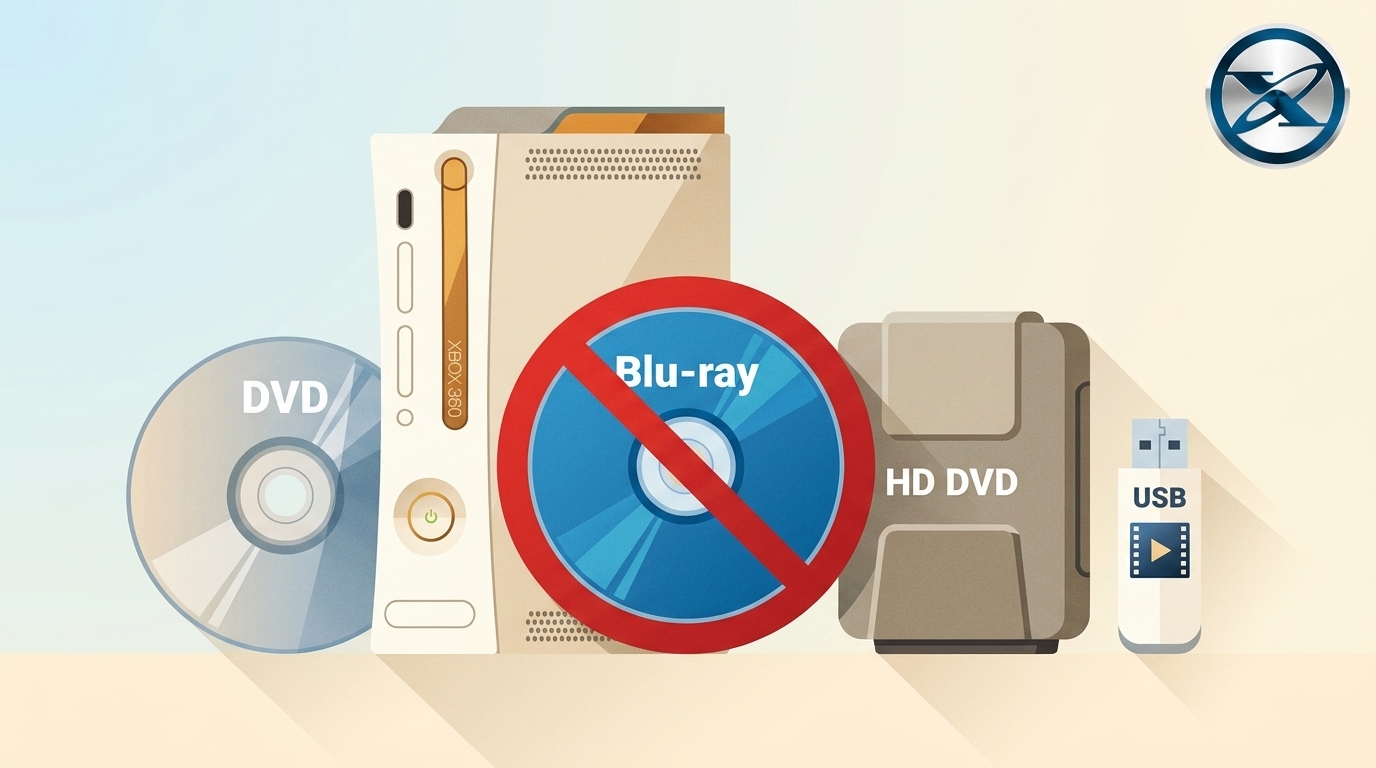
Table of Contents
Xbox 360 cannot play Blu-ray discs because it does not have a Blu-ray optical drive. Its built-in drive was designed for Xbox 360 game discs, DVDs, and CDs rather than Blu-ray media. The old Xbox 360 HD DVD Player does not change that limitation because it was made for HD DVD, not Blu-ray.
If you want to keep using an Xbox 360, a compatible local video file is a separate playback option. If direct Blu-ray disc playback matters, the simpler choice is later Xbox hardware with a Blu-ray-capable optical drive.
Can Xbox 360 Play Blu-ray Discs?
No. Xbox 360 cannot read standard Blu-ray movies or 4K UHD Blu-ray discs directly. Microsoft did not add a Blu-ray drive to the Xbox 360 product family, so a firmware update cannot turn its existing optical drive into a Blu-ray reader.

The similarly named Xbox 360 HD DVD Player is a common source of confusion. It was an external accessory for the competing HD DVD format. It does not read Blu-ray discs and does not add Blu-ray playback to an Xbox 360.
No supported external Blu-ray-drive or firmware path was released for the Xbox 360. If the goal is to insert a Blu-ray movie and play it directly, different hardware is required.
What Discs and Media Can Xbox 360 Play?
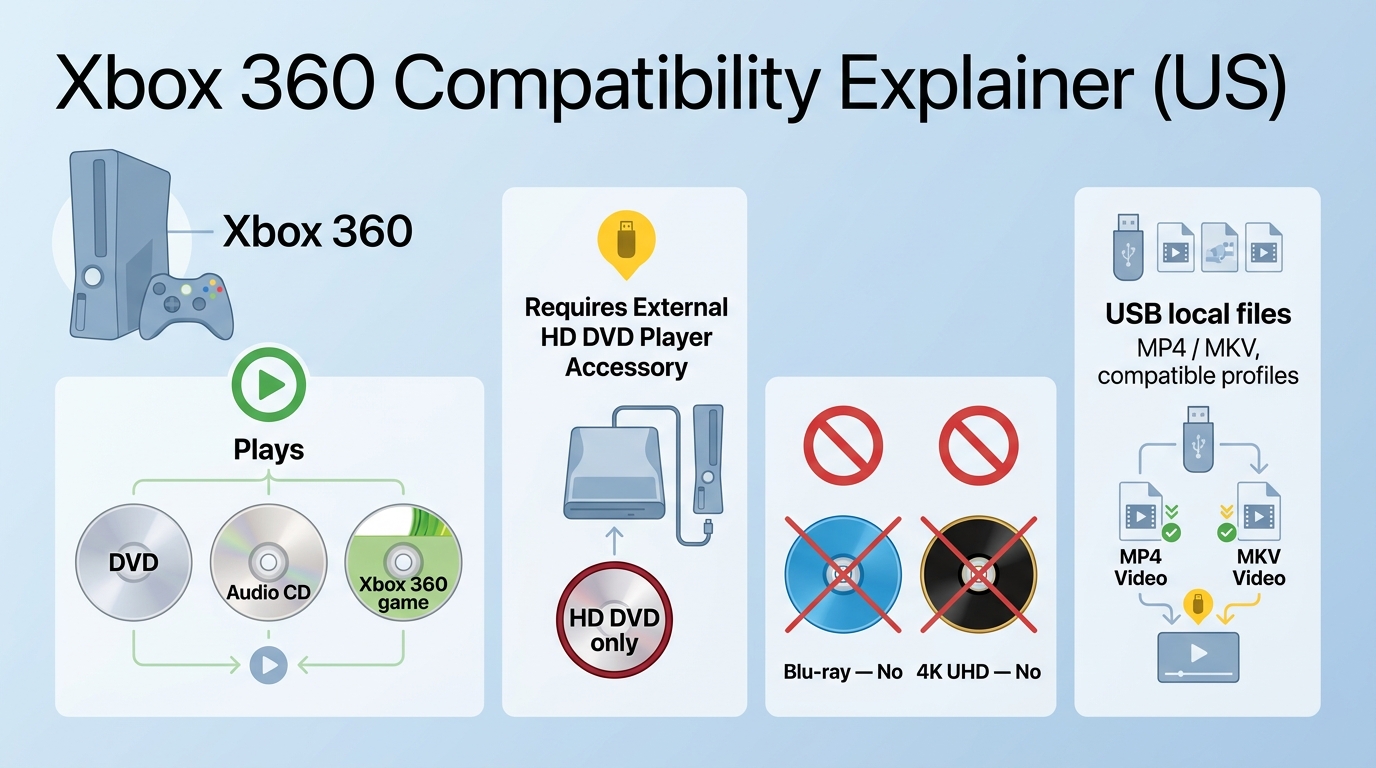
The useful distinction is between media the Xbox 360 can read directly and local video files that depend on their actual encoding and playback method.
| Media or device | Xbox 360 support | What to know |
|---|---|---|
| Xbox 360 game discs | Yes | Designed for the console |
| DVD-Video | Yes | DVD playback is supported through the built-in drive |
| Audio CDs | Yes | Supported optical media |
| Xbox 360 HD DVD Player | HD DVD only | Does not read Blu-ray discs |
| Standard Blu-ray disc | No direct disc playback | Xbox 360 has no Blu-ray optical drive |
| 4K UHD Blu-ray disc | No direct disc playback | Xbox 360 has no UHD Blu-ray drive |
| Compatible local video file | Conditional | Encoding and playback method must be supported |
| Later Xbox with a disc drive | Model-specific | Check whether the model includes a Blu-ray-capable optical drive |
A local video file is not the same thing as Blu-ray disc playback. Even when a file has a familiar extension, the Xbox 360 still has to support the actual video and audio encoding used inside it.
Can You Watch Blu-ray Content on Xbox 360 Without the Disc?
Potentially, yes, as a separately created local video file. This does not give the Xbox 360 Blu-ray disc support; it changes the playback task from reading a Blu-ray disc to decoding a video file.
If you own or are authorized to convert the source media and the conversion is permitted where you live, you can create a local file and test it with the Xbox 360. The finished file still has to match what the console can decode.
What a Compatible Local File Must Get Right
Do not judge compatibility from the file extension alone. The container, video codec, audio codec, profile, resolution, bitrate, subtitles, and the way the file reaches the console can affect whether it plays.
This is also why a format listed by conversion software should not automatically be described as Xbox 360 compatible. A Blu-ray ripper may create MP4, MKV, H.264, H.265, or other outputs, while the Xbox 360 may support only a subset of the possible encoding combinations.
A short test file is more useful than converting an entire movie before checking compatibility. Play the sample through the same USB or local playback method you plan to use later, then check picture, sound, synchronization, and subtitles.
Convert Blu-ray Content to a Local File with DVDneXtCOPY Blu-ray Ripper
DVDneXtCOPY Blu-ray Ripper can load a protected Blu-ray disc, ISO image, or Blu-ray folder, then let you select the title, audio tracks, subtitles, and an output profile before creating a local video file. This makes it relevant when you want to use Blu-ray content without relying on direct Blu-ray disc playback on the Xbox 360.
The adjustable output settings are useful when a target device has specific playback requirements, but the software does not add Blu-ray hardware to the Xbox 360. You just use DVDneXtCOPY to rip your Blu-ray to a digital file supported by the console for playback.
Step 1: Load the Blu-ray disc, ISO image, or Blu-ray folder. Select the movie title and the audio and subtitle tracks you want to keep.
Step 2: Open the output profile and review the video codec, audio, resolution, bitrate, and other settings relevant to the target playback method.

Step 3: Create a short sample first. Transfer it using the same method you plan to use with the Xbox 360 and confirm that picture, audio, synchronization, and required subtitles work before converting the complete movie.
Which Xbox Consoles Can Play Blu-ray Discs?
If direct Blu-ray disc playback matters more than keeping the Xbox 360, later Xbox hardware provides clearer options.
- Original Xbox One: Supports Blu-ray movie playback through its Blu-ray drive and Blu-ray Player app.
- Xbox One S: Includes support for standard Blu-ray and 4K Ultra HD Blu-ray playback.
- Xbox One X: Includes a built-in 4K UHD Blu-ray player.
- Xbox Series X with a disc drive: Xbox currently offers Series X configurations with a UHD Blu-ray Disc player. Check the specific model because all-digital Series X configurations also exist.
- Xbox Series S: Cannot play physical Blu-ray discs because Series S is an all-digital console without an optical drive.
If your movie collection is mainly on physical Blu-ray discs, choose an Xbox configuration with an optical drive rather than relying on the console family name alone.
Note: If DVD playback on later Xbox hardware is also relevant, see our guide to playing DVDs on Xbox One.
FAQs About Xbox 360 and Blu-ray
Can Xbox 360 Slim play Blu-ray discs?
No. The Xbox 360 Slim redesign did not add a Blu-ray optical drive, so it has the same Blu-ray disc limitation as the rest of the Xbox 360 family.
ACan Xbox 360 play 4K UHD Blu-ray discs?
No. Xbox 360 has neither a standard Blu-ray drive nor a 4K UHD Blu-ray drive. Direct UHD Blu-ray playback requires later hardware with a compatible optical drive.
ADoes the Xbox 360 HD DVD Player work with Blu-ray discs?
No. The external Xbox 360 HD DVD Player was designed for the HD DVD format, not Blu-ray, so connecting it does not add Blu-ray disc playback to the console.
AConclusion
Xbox 360 cannot play Blu-ray or 4K UHD Blu-ray discs because it does not have the required optical drive. The Xbox 360 HD DVD Player is not a workaround because it reads the separate HD DVD format rather than Blu-ray.
If you want to keep using the Xbox 360, a compatible local video file is a separate option for media you own or are authorized to convert where permitted. Keep the conversion focused on the actual target device, create a short sample, and verify playback before processing the full movie.
If direct Blu-ray disc playback is the priority, use later Xbox hardware with a Blu-ray-capable disc drive. Check the exact model before buying or setting up a console because current Xbox families can include both optical-drive and all-digital configurations.
 Luna MillerOct 8, 2026
How to Block Someone on TikTok: App & Website Guide
 Luna MillerSep 21, 2026
10 Free Sites to Download Subtitles for Movies & TV Shows in 2026
 Luna MillerSep 17, 2026
How to Delete a TikTok Story in 5 Steps (2026)
 Luna MillerSep 16, 2026
How to Fix Cinavia Message Code 3: Start With the Source
![WinX DVD Author Review & Tutorial: Features, How to Use, and Limits [2026]](https://c.dvdnextcopy.com/uploads/images/17884278134315877-5212fbb54f6ef7f5e20bf1765fc74e79.jpg) Luna MillerSep 3, 2026
Luna MillerSep 3, 2026WinX DVD Author Review & Tutorial: Features, How to Use, and Limits [2026]
 Luna MillerAug 31, 2026
How to Rip a DVD with HandBrake in 2026: Steps, Settings & Limitations