 DVDneXtCOPY Blu-ray Creator
10 Tested Blu-ray Burning Software in 2026 for Windows and Mac

Summary: For a playable movie disc, choose Blu-ray authoring software that can convert video and build menus, chapters, and a BDMV structure. DVDneXtCOPY Blu-ray Creator is a straightforward Windows option, while DVDFab and Leawo also support macOS. For data, ISO, or an already-authored BDMV folder, BurnAware and AnyBurn provide simpler free alternatives.
Table of Contents
A Blu-ray project can begin with two very different sources. You may have MP4, MKV, or camcorder footage that needs to become a movie disc with chapters and a menu. Or you may already have an ISO, a prepared BDMV folder, or a collection of files that only needs to be written to blank media.
That distinction matters. A lightweight Blu-ray burner can handle data and image files without being able to create a playable movie from raw video. A full Blu-ray creator adds encoding, navigation, chapters, and menu controls, but may be unnecessary for a simple archive disc. The software choice also changes how you burn a Blu-ray for data storage or set-top player playback.
I compared the operating-system support, accepted sources, output types, menu controls, and license conditions of ten best Blu-ray burning software. The first six can create movie projects from video; the last four are better suited to data, ISO, and prepared Blu-ray structures.
Quick Comparison of the Best Blu-ray Burning Software
The most important column is "Playable Blu-ray from Video." A "prepared project only" entry means the program can write a completed ISO or BDMV structure but cannot build a movie disc directly from an ordinary video file.
| Software | OS | Best For | Accepted Source | Playable Blu-ray from Video | Menu and Chapter Controls | License or Key Limit |
|---|---|---|---|---|---|---|
| DVDneXtCOPY Blu-ray Creator | Windows | Straightforward movie-disc creation | 200+ video formats | Yes | Static/dynamic menus, chapters, audio, and subtitles | Trial/Paid; trial creates up to three Blu-rays |
| DVDFab Blu-ray Creator | Windows, macOS | Menus, editing, and multiple tracks | 200+ video formats | Yes | Custom menus, chapters, audio, and subtitles | Trial/Paid |
| Leawo Blu-ray Creator | Windows, macOS | Slideshows and 3D projects | 180+ video and photo formats | Yes | 40+ templates, chapters, and custom backgrounds | Trial/Paid |
| CyberLink Power2Go 13 | Windows 7–10 | Burning, conversion, and backup in one suite | Video, audio, data, and disc images | Yes | Menu templates and background music | Trial/Paid; movie-disc creation locks after the trial period |
| Roxio Toast 20 Pro | macOS; check the exact version | Mac media and disc projects | Video, audio, data, and disc images | Yes, with the Blu-ray plug-in | Blu-ray menu templates | Paid; plug-in included with Pro |
| Express Burn | Windows, macOS | Simple video and data burning | Video, audio, files, and ISO images | Yes | Blu-ray chapters; custom menu templates focus on DVD | Paid Plus edition required for Blu-ray |
| BurnAware 19.2 | Windows | Data, ISO, BDMV, BDXL, and M-Disc | Files, folders, ISO, and prepared BDMV | Prepared project only | No movie-menu creation | Free edition available |
| AnyBurn 6.9 | Windows | Lightweight and portable image burning | Files, folders, and disc images | Prepared project only | No movie-menu creation | Free |
| Ashampoo Burning Studio 27 | Windows 10/11 | Data, disc images, and backups | Files, media, and disc images | No comparable full Blu-ray menu editor | Basic movie-project tools | Trial/Paid |
| ImgBurn 2.5.8.0 | Windows | Legacy ISO and prepared-folder writing | Disc images and prepared BDMV/BDAV folders | Prepared project only | No movie-menu creation | Legacy Freeware |
Best Blu-ray Burning Software for Playable Movie Discs
These programs can take ordinary video files and build the structure required for playback in a compatible set-top Blu-ray player. Choose from this group when menus, chapters, subtitles, or multiple titles matter. An MKV source may also need re-encoding and disc-size adjustments, so check the required settings before you burn MKV to Blu-ray.
1. DVDneXtCOPY Blu-ray Creator: Best Straightforward Blu-ray Burner for Windows

DVDneXtCOPY Blu-ray Creator is Windows Blu-ray burning software for turning personal video into a playable disc without building the BDMV structure manually. It accepts more than 200 video formats, including MP4, MKV, AVI, MOV, WMV, M4V, FLV, and MPEG.
A project can be written to BD-R or BD-RE media or saved as a Blu-ray folder or ISO image. Supported sizes include BD-25 and BD-50, plus BD-5 and BD-9 projects. I prefer saving an ISO or folder first when I want to inspect the completed structure before using a blank disc.
Static and animated menu templates are included, along with chapter, subtitle, audio-track, and preview controls. A menu can also be disabled. The main limitation is platform support: the program runs on Windows, not macOS. Its 30-day trial can create up to three Blu-rays.
- Creates playable Blu-ray projects from common video files.
- Saves to a disc, ISO image, or Blu-ray folder.
- Includes menu, chapter, subtitle, audio, and preview controls.
- Supports BD-25, BD-50, BD-5, and BD-9 output.
- Available only for Windows.
- Its menu editor offers fewer element-level controls than DVDFab.
2. DVDFab Blu-ray Creator: Best for Menus, Editing, and Multiple Tracks
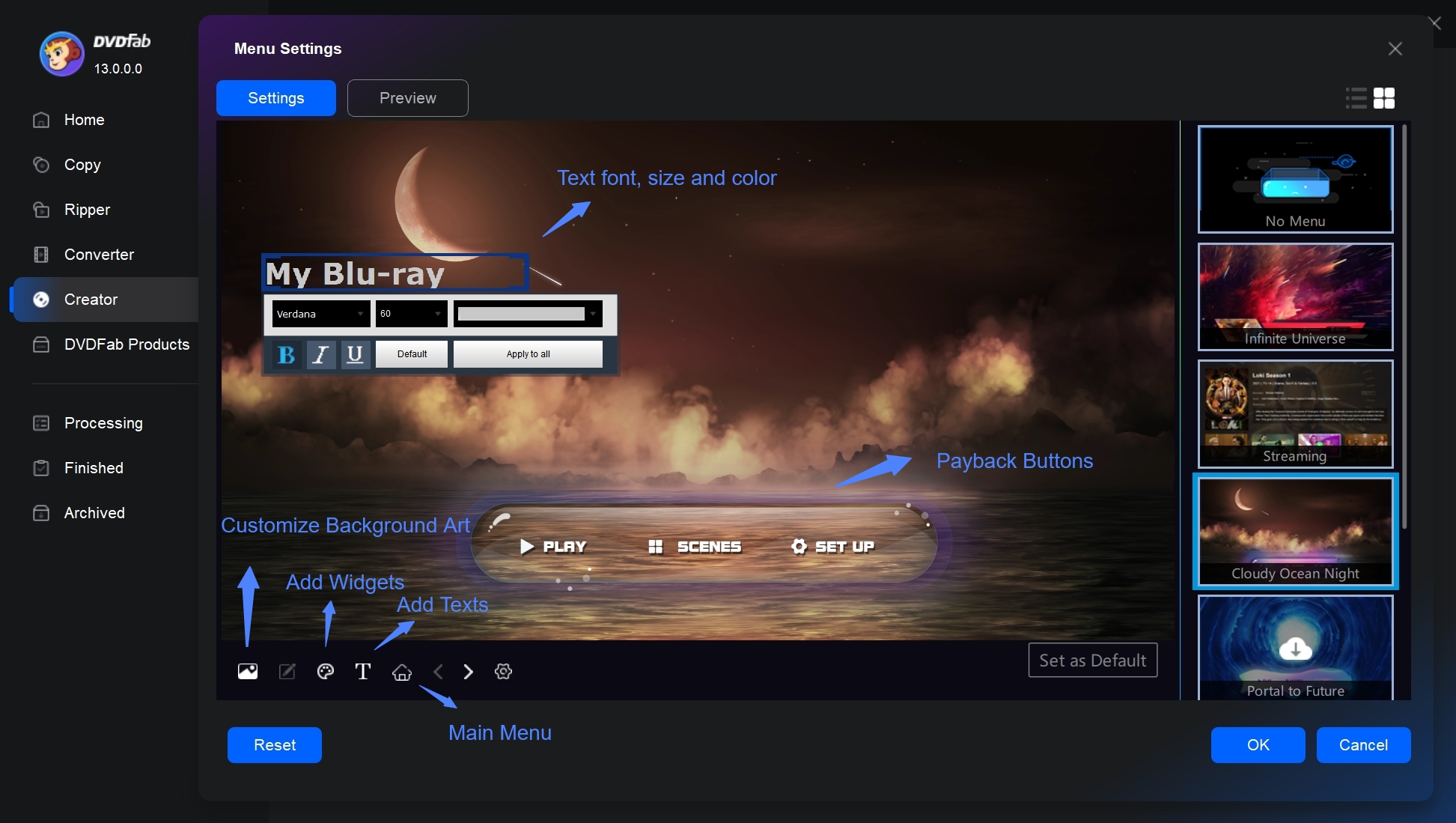
DVDFab Blu-ray Creator is cross-platform Blu-ray burning software with detailed preparation and menu controls. It is available for Windows and macOS and accepts more than 200 video formats, including MP4, MKV, MOV, AVI, FLV, WMV, M4V, and MPEG.
The program creates BD-25 or BD-50 discs, folders, and ISO images, as well as BD-5 and BD-9 AVCHD projects. Multiple videos can be arranged on one disc, with controls for playback order, chapters, audio tracks, and subtitles. External SRT and ASS subtitle files can also be added.
Static and animated menu templates can be edited at the element level, including the background, thumbnails, text, colors, and playback buttons. The built-in editor covers trimming, cropping, filters, watermarks, subtitle changes, and basic picture adjustments. GPU acceleration can use a compatible NVIDIA or Intel graphics processor, and the program can generate NFO metadata files for a media-server library. Actual processing time still depends on the source, settings, computer, and drive.
- Runs on Windows and macOS.
- Provides detailed static and animated menu customization.
- Includes trimming, cropping, subtitle, filter, and picture tools.
- Supports multiple titles, chapters, audio tracks, and subtitles.
- Contains more settings than a simple movie-disc project may need.
- Some adjacent DVDFab functions require a separate product or license.
3. Leawo Blu-ray Creator: Best for Slideshows and 3D Projects
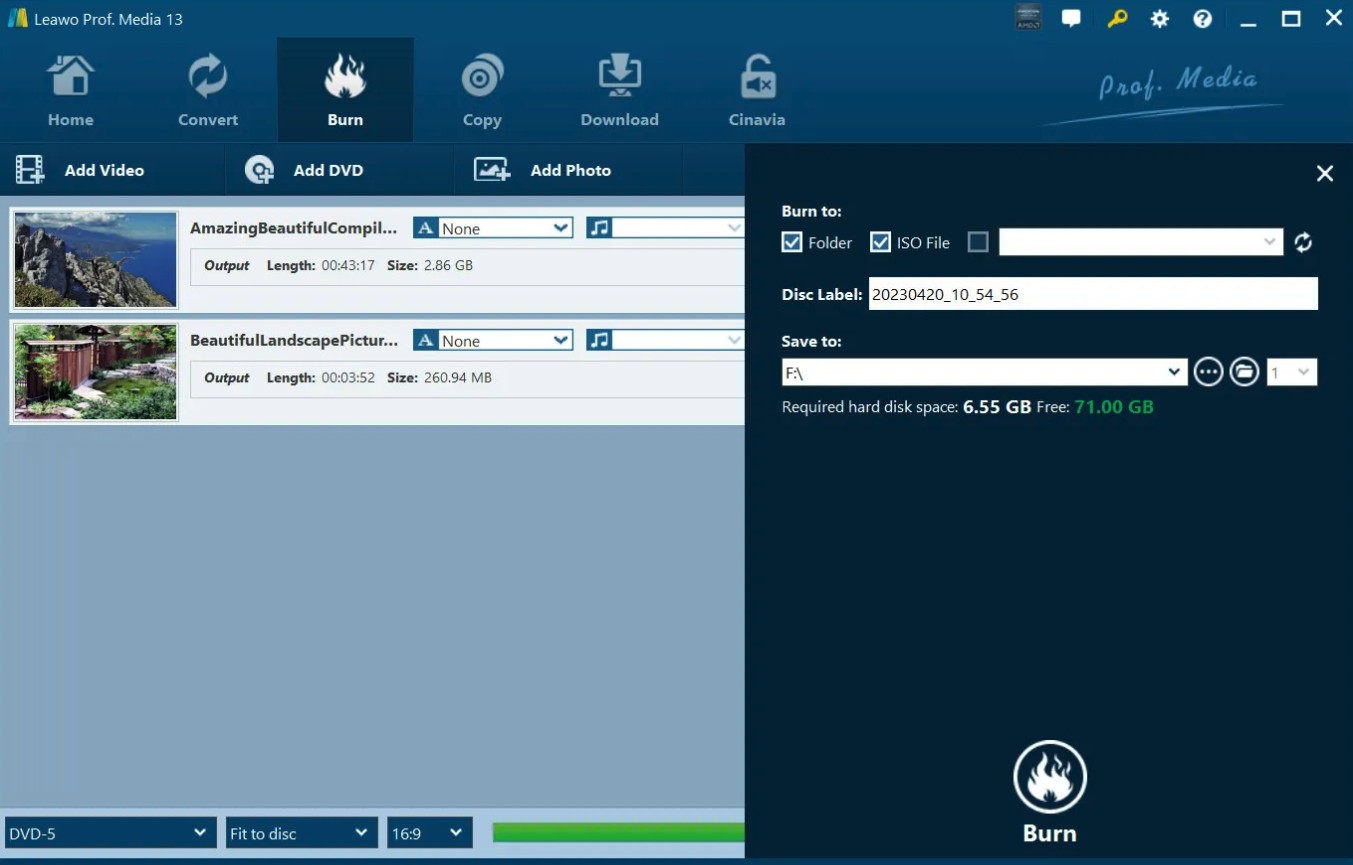
Leawo Blu-ray Creator is a Blu-ray burner for video, photo-slideshow, and 3D projects. It runs on Windows and macOS, accepts more than 180 video and photo formats, and creates BD-25 or BD-50 discs, ISO images, and folders.
Its library contains more than 40 menu templates. Backgrounds, music, titles, text, buttons, and chapter points can be adjusted. Photos can be assembled with music and transitions before being included in a project, while six 3D effects are available for compatible 3D content.
The additional slideshow and 3D controls will not matter to every project. They are most relevant when a disc combines photos and video or when current Mac compatibility is required.
- Supports Windows and macOS.
- Creates Blu-ray discs, ISO images, and folders.
- Includes more than 40 menu templates and a photo-slideshow maker.
- Offers six 3D conversion effects.
- Several extra features are unnecessary for a basic video-to-Blu-ray project.
- The free download is a trial, not a complete free Blu-ray burning edition.
4. CyberLink Power2Go 13: Best Windows All-in-One Burning Suite
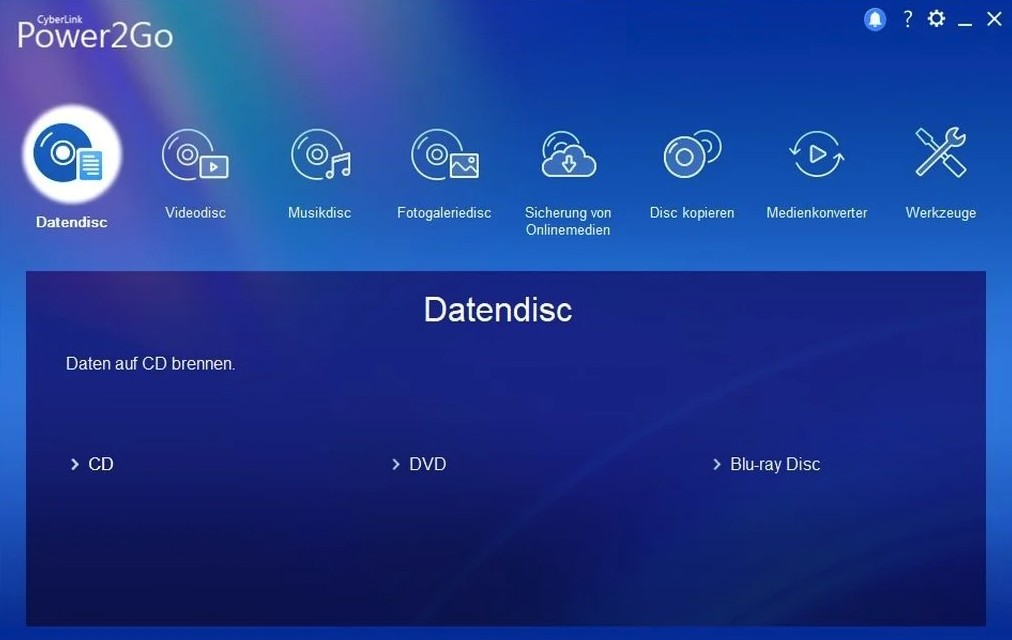 CyberLink Power2Go 13 works as a broader Windows Blu-ray burner, combining video-disc creation, data burning, audio conversion, disc images, backups, and media conversion. Its movie-disc tools can add menus and background music rather than recording video files as data only.
The breadth is useful when one PC handles several optical-media jobs. Power2Go 13 supports Windows 7, 8/8.1, and 10; Windows 11 is absent from its compatibility range. The Essential download also locks Blu-ray and DVD movie-disc creation after the 30-day premium period, so check compatibility before purchasing it for a current Windows 11 computer.
- Combines movie-disc creation, data burning, conversion, and backup.
- Includes menu templates and background music.
- Creates and writes disc images.
- Windows 11 is not included in its compatibility range.
- Blu-ray movie-disc creation is not part of the permanently free feature set.
5. Roxio Toast 20 Pro: Best Blu-ray Suite for Supported Macs
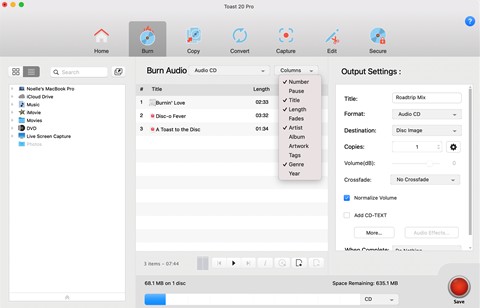
Roxio Toast 20 Pro is a Mac Blu-ray burning suite that includes the High-Def/Blu-ray Disc plug-in. It can turn HD video into a Blu-ray project with templates and also provides data burning, disc-image, conversion, capture, and editing tools.
Toast makes more sense when those wider Mac media functions will be used. Toast 20 Titanium needs the Blu-ray plug-in as a separate purchase, while the Pro package includes it.
Toast 20 was built for Intel and Apple M1 Macs, but its supported macOS range stops before the newest releases. Verify the exact macOS version and external Blu-ray writer before buying it for a recent Mac.
- Combines Blu-ray movie creation with other Mac media tools.
- Includes the Blu-ray plug-in with the Pro edition.
- Provides templates, conversion, and disc-image functions.
- Its compatibility range does not include the latest macOS releases.
- Titanium users need a separate Blu-ray plug-in.
6. Express Burn: Best for Simple Video and Data Burning
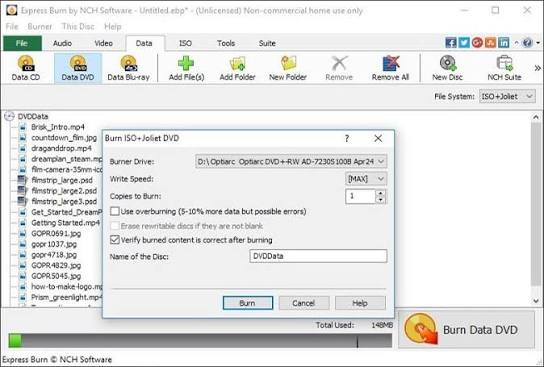
Express Burn is Blu-ray burning software for Windows and macOS that handles data, audio, video, and ISO projects. It can re-encode video for a standard movie disc and create or manage chapters on DVD and Blu-ray projects.
Its custom menu and button templates focus on DVD projects, while Blu-ray customization centers on chapter management. Express Burn can still suit a simpler Blu-ray project or a computer that also handles CD, DVD, ISO, and data-disc jobs.
The free edition is limited to CD burning for non-commercial use. Blu-ray output requires the paid Plus edition and a compatible disc writer.
- Available for Windows and macOS.
- Covers video, data, audio, and ISO projects.
- Supports chapter management on Blu-ray projects.
- Blu-ray burning requires the paid Plus edition.
- Its custom-menu tools focus on DVD projects.
Best Blu-ray Burners for Data, ISO, and Prepared BDMV Projects
The following Blu-ray burners are strongest when the disc structure already exists or when the goal is data storage. They do not replace a movie-disc creator that converts an ordinary MP4 or MKV into a menu-driven Blu-ray.
7. BurnAware 19.2: Best Free Burner for ISO, BDMV, BDXL, and M-Disc
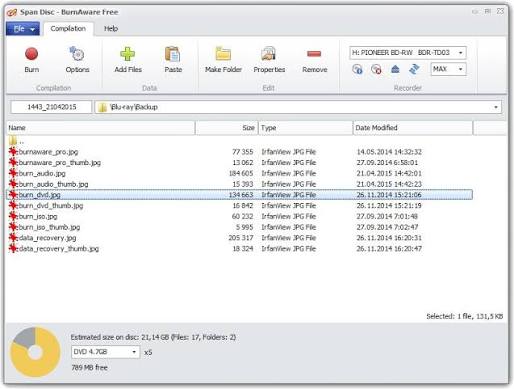
BurnAware is a free Windows Blu-ray burner for files, folders, ISO images, and prepared BDMV projects. Version 19.2 was released in July 2026, and the program supports Windows 7 through Windows 11.
The free edition covers common disc-writing jobs, while the product family supports BDXL and M-Disc media. BurnAware can create and burn ISO images, verify written data, and place an already-authored BDMV structure onto Blu-ray.
It does not build a movie disc from raw video. Adding an MP4 to a data project records the file as data; it does not create player navigation or a Blu-ray menu.
- Offers a free edition and supports Windows 11.
- Handles ISO, prepared BDMV, BDXL, and M-Disc projects.
- Includes post-burn verification.
- Available only for Windows.
- Does not create movie menus from raw video.
8. AnyBurn 6.9: Best Lightweight and Portable Free Burner

AnyBurn is a lightweight Windows Blu-ray burner for image files, files, and folders. It can also create images from readable discs and verify recorded media. Version 6.9 was released in July 2026 and supports Windows versions from 2000 through Windows 11.
A portable edition is available, and the program is free for personal and business use. It can write a completed Blu-ray image but cannot turn ordinary video into a movie with menus or chapters.
- Free for personal and business use.
- Offers a small installer and portable edition.
- Creates, burns, extracts, and verifies disc images.
- No macOS edition.
- No Blu-ray movie-menu creation.
9. Ashampoo Burning Studio 27: Best for Data, Images, and Backups
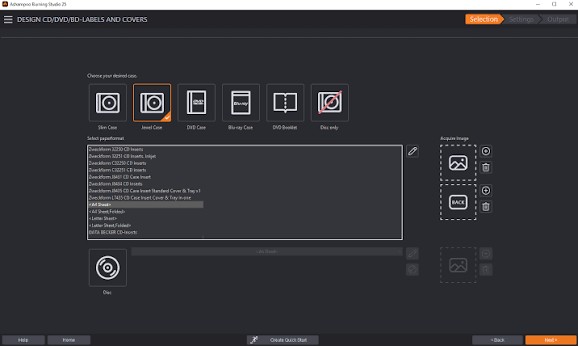
Ashampoo Burning Studio 27 is a Windows 10 and 11 suite for data discs, backups, audio projects, disc images, and optical-media organization. It supports standard Blu-ray media and higher-capacity BDXL discs.
Backup functions, file spanning, encryption, and password protection make this Blu-ray burning software more relevant to archival work than the lighter utilities above. Ashampoo can also create movies and slideshows, but its Blu-ray menu controls are less extensive than those of a dedicated creator.
The program is commercial and runs on x64 and ARM versions of Windows 10 and 11. A large Blu-ray project also needs substantial temporary storage: allow up to 25/50 GB for Blu-ray and 100 GB for Blu-ray XL.
- Supports current Windows 10 and 11 systems.
- Provides data, image, backup, encryption, and password controls.
- Supports BDXL media.
- Available only for Windows.
- It does not provide the same detailed Blu-ray menu editor as a dedicated creator.
10. ImgBurn: Best Legacy Tool for ISO and Prepared Blu-ray Folders
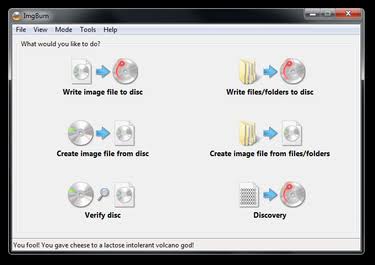
ImgBurn remains a useful legacy Blu-ray burner for ISO images and prepared BDMV or BDAV folders. It also provides detailed drive information and verification controls.
ImgBurn 2.5.8.0 was released in June 2013. It was designed for older Windows environments and has not received the compatibility and maintenance updates expected from current software.
ImgBurn cannot take an MP4, design a menu, encode the video, and assemble the finished Blu-ray structure. Reserve it for a known-good ISO or folder that has already been prepared elsewhere, particularly on an established computer where the software and drive are known to work together.
- Writes ISO, BDMV, and BDAV projects.
- Provides detailed drive and verification controls.
- Remains useful for already-authored Blu-ray structures.
- Has not been updated since 2013.
- Does not author menus or create a movie disc from raw video.
- Compatibility needs extra checking on modern Windows systems.
What to Check Before Choosing a Blu-ray Burner
Use these five checks to match the Blu-ray burning software to the source files, computer, drive, and finished disc you need.
| Check | Why It Matters | What to Choose or Verify |
|---|---|---|
| Movie disc or data disc | A playable movie needs encoding, a BDMV structure, chapters, and optional menus. A data disc only records files or an existing image. | Use DVDneXtCOPY, DVDFab, Leawo, Power2Go, Toast, or Express Burn for video files. Use BurnAware, AnyBurn, or ImgBurn for an existing ISO or BDMV folder. |
| Operating system | An older Windows or Mac program may install without fully supporting the current system. | Verify the exact Windows or macOS release, especially with Power2Go 13, Toast 20, and ImgBurn. |
| Disc capacity and output | BD-25, BD-50, and BDXL require matching media and drive support. BD-5 and BD-9 are DVD-sized AVCHD projects rather than full-capacity Blu-rays. | Match the project size to the blank disc, writer, playback device, and ISO/folder requirements. |
| Free, trial, or paid | A "free download" may restrict Blu-ray output, project count, or access period. | Express Burn needs its paid Plus edition for Blu-ray. DVDneXtCOPY's trial creates up to three Blu-rays; BurnAware and AnyBurn provide free data/image burning. |
| Blu-ray writer and storage | A DVD-only drive cannot write Blu-ray, and video encoding may need tens of gigabytes of temporary space. | Check the drive model, supported media, available storage, and blank-disc capacity before starting. |
Frequently Asked Questions
No. Windows 11 does not include a tool that turns video files into playable Blu-ray movies. Windows Media Player can burn audio CDs, data CDs, and data DVDs, but not Blu-ray. Finder can burn files to supported CDs and DVDs on a Mac, but macOS does not include a Blu-ray movie creator. A third-party program and compatible Blu-ray writer are required.
Usually not. Free tools such as BurnAware and AnyBurn can write data, ISO images, and prepared Blu-ray folders, but they cannot turn raw video into a player-ready disc with editable movie menus. If the source is MP4, MKV, MOV, or camcorder footage, use dedicated Blu-ray burning software or evaluate its trial.
No. Burning records files, an ISO image, or a prepared movie project onto blank media. Blu-ray copying begins with an existing Blu-ray disc, folder, or image and duplicates or compresses its contents. Existing-disc projects therefore need a different tool, such as DVDneXtCOPY Blu-ray Copy.
Conclusion
For straightforward Windows movie-disc creation, DVDneXtCOPY Blu-ray Creator covers the formats, menus, chapters, and output types most home projects require. DVDFab Blu-ray Creator provides more detailed menu and editing controls on Windows and macOS, while Leawo is especially relevant for projects that combine video, photos, slideshows, or 3D effects.
A full creator is unnecessary when the source is already an ISO or BDMV folder. BurnAware is the more complete free Windows option for data and prepared projects, while AnyBurn suits a small or portable installation. ImgBurn can still write prepared images and folders, but its age makes it better for an established legacy setup than a new installation.
 Steven VanceSep 17, 2026
How to Rip Blu-ray on Mac in 2026: 4 Workflows, 5 Methods
![How to Rip 3D Blu Ray: Pick MVC or SBS Before You Start [2026]](https://images.dvdnextcopy.com/2026/09/15/OCieIQbnp92l67jxKZzrGV_sFMToZiaa/feature_cover.jpg) Steven VanceSep 16, 2026
Steven VanceSep 16, 2026How to Rip 3D Blu Ray: Pick MVC or SBS Before You Start [2026]
 Steven VanceSep 15, 2026
Convert BDMV to MP4 on Windows or Mac: Choose the Right Method
 Luna MillerSep 15, 2026
How to Convert BDMV to MKV in 2026: Folder, Remux, or Re-Encode?
 Luna MillerSep 15, 2026
Blu-ray Authoring Software for Windows and Mac: 2026 Picks by Project
 Luna MillerSep 8, 2026
Best Free Blu-ray Copy Software in 2026: Reviews & How-to Guide