 DVDneXtCOPY Blu-ray Creator
Blu-ray Burning Software for Mac in 2026: 4 Tools Reviewed

Summary: Mac Blu-ray burning requires an external writable drive plus software that supports the disc you want to create. DVDFab Blu-ray Creator 13.0.6.3 is my first choice for professional video authoring with menus, chapters, and editing. Express Burn 14.05 is more versatile for Video Blu-ray, Data Blu-ray, and ISO projects, while Leawo and Toast add other authoring options.
Table of Contents
A Mac can store plenty of high-resolution video, but turning MP4, MKV, or MOV files into a physical Blu-ray takes more than connecting an optical drive. A playable Blu-ray needs video authoring, while a data disc or an existing ISO uses a different type of burning. Current Macs also need an external drive that can write BD-R or BD-RE media.
For this review, I focus on what each Mac Blu-ray burner can put on the finished disc: playable Blu-ray Video, data files, or an existing disc image. I also compare macOS support, Apple Silicon, menu design, chapter editing, video editing, and trial limits so you can choose software that matches the disc you actually want to create.
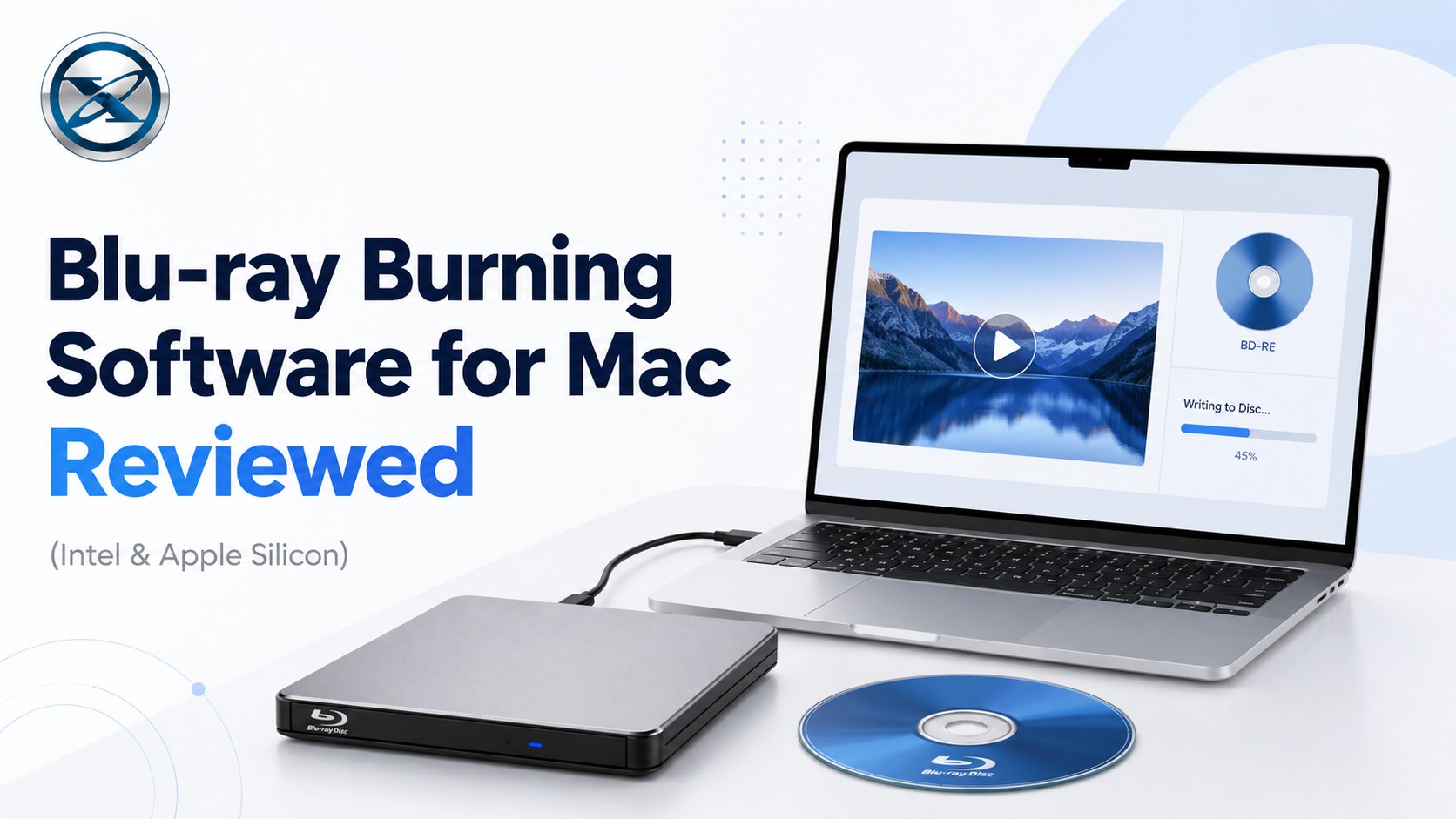
What to Check Before Choosing Blu-ray Burning Software for Mac
Before comparing Mac Blu-ray burners, check whether the software supports your Mac and the type of disc you want to create. These six points affect the finished Blu-ray more than format counts or advertised burning speed.
| What to Check | Why It Matters |
|---|---|
| macOS & Apple Silicon | Confirm that the current release supports your installed macOS and Intel or M-series Mac. |
| Blu-ray Type | Video Blu-ray creates a playable movie disc; Data Blu-ray stores original files; ISO burning writes a prepared disc image. |
| Menu Design | A menu organizes several videos or titles so they can be selected from a Blu-ray player. |
| Chapter Editing | Chapter points let a long movie, concert, or home video open directly at useful scenes. |
| Video Editing | Trim, crop, subtitle, or image controls can prepare the source before Blu-ray authoring starts. |
| Blu-ray Writer | A physical BD-R or BD-RE still requires an external optical drive that supports Blu-ray writing. |
Quick Answer: 4 Mac Blu-ray Burning Tools Compared
The products below cover different disc jobs. The comparison separates Blu-ray Video authoring from data and image burning, and it avoids speed or quality rankings that would require the same Mac, source files, media, and burn settings.
| Review Item | DVDFab Blu-ray Creator 13.0.6.3 for Mac | Leawo Blu-ray Creator for Mac 7.1.8 | Express Burn 14.05 for Mac | Roxio Toast 20 Pro |
|---|---|---|---|---|
| macOS Support | macOS 12 and newer | macOS 10.13-26 | macOS 10.5+ | macOS 10.14-Sonoma |
| Apple Silicon | M1/M2/M3/M4 | M1/M2 | Not clearly specified | M1 |
| Video to Playable Blu-ray | Yes | Yes | Yes | Yes |
| Data Blu-ray | Not its main function | Not its main function | Yes | Yes |
| ISO / Disc Image | ISO output | ISO input/output | Create and write ISO | ISO and multiple disc-image formats |
| Menu Design | Custom background, text, thumbnails, and buttons | Background image/video, music, text, and buttons | Templates, title/subtitle, custom background | Templates, submenus, custom layout, backgrounds, and music |
| Chapter Editing | Yes | Manual and automatic | Add, change, import, and remove chapters | Manual and automatic |
| Video Editing | Trim, crop, filters, watermark, and subtitles | Trim, crop, rotate, effects, and watermark | No | Trim and basic enhancement |
| Free / Trial | 30-day trial, 3 complete Blu-ray burning | Trial outputs first 5 minutes | Free edition burns CDs only | Paid |
| Best For | Professional video-to-Blu-ray authoring | Detailed authoring on current macOS | Video + data + ISO burning | Blu-ray authoring plus wider Mac media tools |
1. DVDFab Blu-ray Creator 13.0.6.3 for Mac
- OS: macOS 12 or newer; Intel or Apple Silicon.
- Input: MP4, MKV, AVI, MOV, FLV, WMV, M4V, MPEG, and 200+ video formats.
- Output: BD-25/BD-50 disc, Blu-ray ISO, and Blu-ray folder; BD-5/BD-9 is also available.
- Menu Design: Editable backgrounds, text, thumbnails, fonts, colors, and playback buttons, with menu preview.
DVDFab Blu-ray Creator 13.0.6.3 for Mac can burn ordinary video files as Blu-ray Video. Multiple clips can be arranged as separate titles, chapter points can break longer videos into navigable scenes, and a menu gives the viewer direct access to those titles from a Blu-ray player. The project can be written to BD-25/BD-50 or saved as an ISO or Blu-ray folder.
The built-in editor is useful before the Blu-ray structure is finalized. I would trim an unwanted intro or correct a subtitle before setting chapter points, so the chapter layout still matches the finished video. Menu Preview also lets me check title order and navigation before the project is sent to a blank disc.
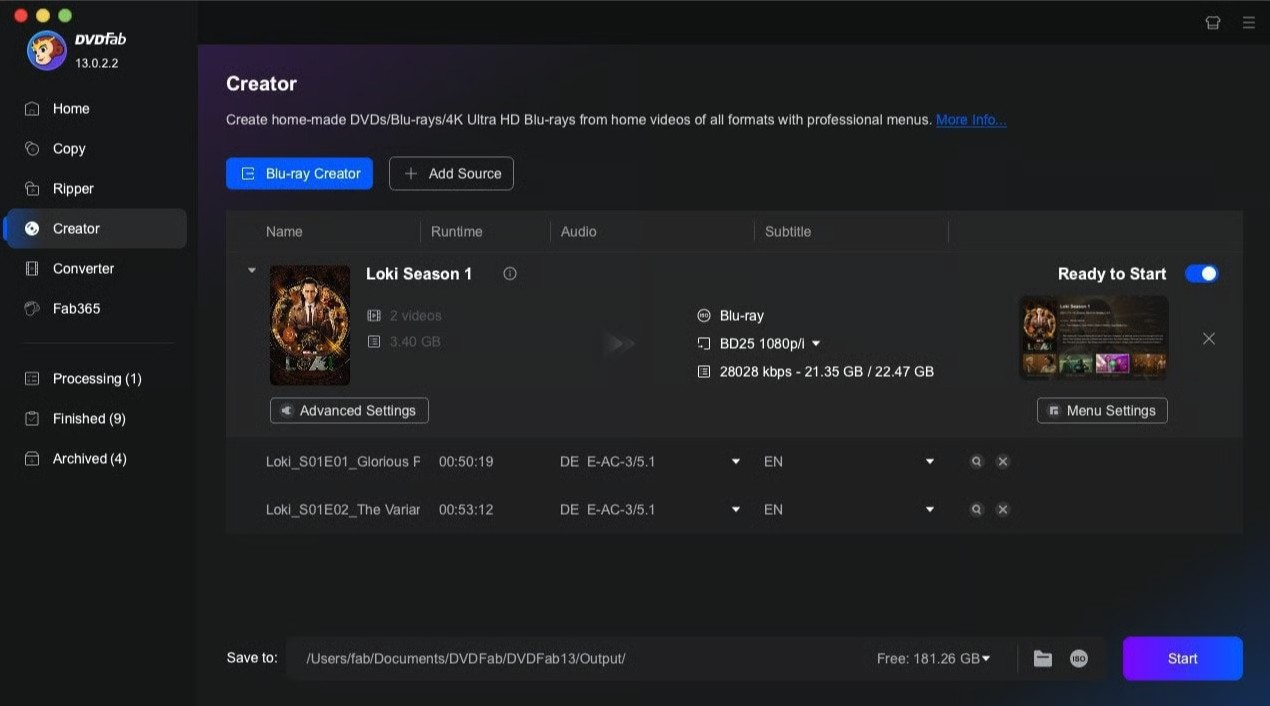
- Combines video editing, chapter placement, menu creation, and physical Blu-ray output in one project.
- Supports physical Blu-ray, ISO, and folder output.
- Current Mac build supports Apple Silicon and macOS 12 or newer.
- Paid after the 30-day trial.
- Users who only need to write a prepared ISO or store files on a data disc do not need its full authoring toolset.
2. Leawo Blu-ray Creator for Mac 7.1.8
- OS: macOS 10.13 through macOS Tahoe 26; Intel and Apple M1/M2.
- Input: AVI, MP4, MKV, MOV, WMV, MTS/M2TS, TS, FLV, photos, and Blu-ray/DVD ISO images.
- Output: BD-25/BD-50 disc, Blu-ray folder, and ISO.
- Menu Design: Built-in templates plus custom text, button placement, background image/video, and background music.
Leawo Blu-ray Creator for Mac 7.1.8 burns videos, photos, and prepared ISO images to Blu-ray. For a video project, the menu can lead to individual titles and chapter pages, while background music, images, or video can be used to give the disc a more specific visual identity. BD-25 and BD-50 output lets the project be matched to the blank media before burning.
The chapter editor is useful for long recordings. A concert, travel video, or family event can be divided at specific scenes instead of relying only on evenly spaced chapter points. Automatic chapters remain useful for simpler projects where exact scene boundaries matter less. However, the trial only processes the first five minutes of content.

- Current macOS list includes Tahoe 26.
- Detailed chapter and menu controls.
- Handles video, photos, and Blu-ray ISO sources.
- Trial output is limited to five minutes.
- A simple one-title Blu-ray may not need its broader slideshow and editing tools.
3. Express Burn 14.05 for Mac
- OS: macOS 10.5 or above.
- Input: AVI, MPG, ASF, WMV, MOV, VOB, ordinary files for Data Blu-ray, and ISO images.
- Output: Video Blu-ray, Data Blu-ray, ISO image creation, and ISO writing.
- Menu Design: Templates with editable title/subtitle and custom background image.
Express Burn 14.05 for Mac can create Video Blu-ray and Data Blu-ray on the same Mac. Video Blu-ray mode converts imported movies into a Blu-ray structure for player playback and adds optional menus and chapters. Data Blu-ray keeps the original files as files on disc. ISO tools cover image creation and writing without requiring another burning application.
I would keep the Video Blu-ray and Data Blu-ray modes separate when planning the disc. Video Blu-ray is the choice for movie-style playback and navigation; Data Blu-ray is useful when preserving the original MP4, MOV, or other files matters more than set-top-player authoring. The permanent free edition only burns CDs. Blu-ray burning belongs to the paid Plus functionality, so the free edition should not be presented as a free Blu-ray burner.

- Supports Video Blu-ray, Data Blu-ray, and ISO tasks.
- Provides direct chapter management for Blu-ray Video.
- Covers both authored video discs and general file archives.
- Blu-ray is not included in the permanent free edition.
- Source-video editing is limited compared with dedicated Blu-ray creators.
4. Roxio Toast 20 Pro
- OS: macOS 10.14, 10.15, 11, Monterey 12, Ventura 13.3, and Sonoma; Intel and Apple M1.
- Input: AVCHD, DV, MJPEG, MOV, MPEG-1/2/4, VOB, VIDEO_TS, ISO, BIN/CUE, IMG, DMG, CDR, and NRG images.
- Output: Blu-ray Disc through the included Blu-ray plug-in, plus data discs and disc images.
- Menu Design: MyDVD templates, submenus, custom layouts, backgrounds, buttons, text, and music.
Roxio Toast 20 Pro uses MyDVD to turn videos into Blu-ray projects with a main menu, submenus, and chapter pages. A multi-title disc can be organized into separate menu groups instead of placing every clip on one long screen, and chapter menus give longer videos another level of navigation.
That menu hierarchy is useful for larger projects. Several groups of related clips can sit under separate submenus, while individual long videos can have their own chapter pages. The suite also handles data discs and disc-image work, so the same application can cover other optical-disc jobs after the Blu-ray authoring project is finished.
Blu-ray authoring is included with Roxio Toast 20 Pro through its Blu-ray Disc plug-in. Its published Mac compatibility currently stops at Sonoma, so Sequoia and Tahoe users should verify compatibility before buying it specifically for Blu-ray work.
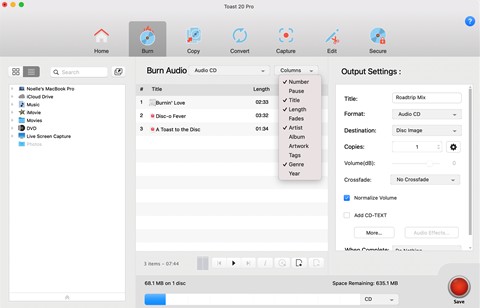
- Strong menu, submenu, and chapter organization.
- Supports Blu-ray authoring, data discs, and disc images.
- Includes basic source-video trimming.
- Published macOS support stops at Sonoma.
- Paid suite includes many media tools that may be unnecessary for occasional Blu-ray burning.
FAQs
Disk Utility should not be treated as a current Mac Blu-ray burning application. Current macOS uses it for disk images and storage management, while Apple does not document a current Disk Utility Blu-ray authoring or BD-R burning process. Use software that explicitly supports Blu-ray media for a physical Blu-ray project.
Apple's current Finder burning instructions cover CDs and DVDs with a writable optical drive; BD-R and BD-RE are not listed. For burning Blu-ray Video, a dedicated authoring program also provides the menu and chapter controls that Finder does not.
Yes. A physical BD-R or BD-RE requires an optical drive that can write Blu-ray media. Current Macs do not include internal optical drives, so Blu-ray burning normally uses a compatible external writer.
Among the four tools reviewed here, none offers unrestricted Blu-ray authoring for free. Express Burn 14.05 for Mac has a permanent free edition, but it only burns CDs; Blu-ray requires the paid Plus CD+DVD+Blu-ray Authoring tier. DVDFab Blu-ray Creator 13.0.6.3 for Mac and Leawo Blu-ray Creator for Mac 7.1.8 provide trial access, while Roxio Toast 20 Pro is paid.
Yes. DVDFab Blu-ray Creator 13.0.6.3 for Mac and Leawo Blu-ray Creator for Mac 7.1.8 can import MP4, MKV, and other videos and create a Blu-ray Video project for physical disc, ISO, or folder output. Copying MP4 or MKV to a Data Blu-ray is different: the files stay in their original containers and do not gain Blu-ray Video menus or chapters.
Conclusion
For professional Blu-ray authoring on Mac, DVDFab Blu-ray Creator 13.0.6.3 for Mac is my first recommendation. It turns MP4, MKV, MOV, and other videos into playable Blu-ray projects with title organization, chapter points, menu navigation, and Disc/ISO/Folder output, and the current Mac build supports Apple Silicon.
If you need one Mac burner for several disc jobs, Express Burn 14.05 for Mac is the more practical alternative. It can create Video Blu-ray for player playback, Data Blu-ray for original files, and ISO projects in the same application. Its permanent free edition only burns CDs, so Blu-ray authoring requires the Plus CD+DVD+Blu-ray tier.
 Steven VanceSep 17, 2026
How to Rip Blu-ray on Mac in 2026: 4 Workflows, 5 Methods
![How to Rip 3D Blu Ray: Pick MVC or SBS Before You Start [2026]](https://images.dvdnextcopy.com/2026/09/15/OCieIQbnp92l67jxKZzrGV_sFMToZiaa/feature_cover.jpg) Steven VanceSep 16, 2026
Steven VanceSep 16, 2026How to Rip 3D Blu Ray: Pick MVC or SBS Before You Start [2026]
 Steven VanceSep 15, 2026
Convert BDMV to MP4 on Windows or Mac: Choose the Right Method
 Luna MillerSep 15, 2026
How to Convert BDMV to MKV in 2026: Folder, Remux, or Re-Encode?
 Luna MillerSep 15, 2026
Blu-ray Authoring Software for Windows and Mac: 2026 Picks by Project
 Luna MillerSep 8, 2026
Best Free Blu-ray Copy Software in 2026: Reviews & How-to Guide