
Free DVD Decoder for Windows XP, Vista, 10 & 11: What Still Works in 2026

Summary: A DVD decoder is an MPEG-2 decoder used for DVD-Video playback. Windows XP and Vista need legacy-compatible decoder builds, while Windows 10/11 no longer include DVD playback in Windows Media Player Legacy. Use the correct K-Lite version if you need a system decoder, or VLC if you simply want to play DVDs without installing one separately.
Table of Contents
A DVD that once played normally in Windows Media Player can show a “compatible DVD decoder is not installed” message on another PC. The missing component is usually MPEG-2 playback support: DVD-Video uses MPEG-2 video, and the player needs a compatible decoder before it can display the disc.
I handle this differently depending on the Windows version and the player I want to keep using. On Windows XP or Vista, the important step is choosing a decoder build that still supports that system. On Windows 10 or 11, I usually use VLC when the goal is simply to watch the DVD; installing a codec is more relevant when Windows Media Player Legacy must remain part of the setup. If I no longer want playback to depend on the disc drive and decoder, I convert DVD to MP4 or MKV instead.
What Is a DVD Decoder?
A DVD decoder is an MPEG-2 decoder. Windows Media Player and other compatible applications use it to decode the MPEG-2 video stored on a DVD-Video disc.
| Tool Type | What It Does | Example |
|---|---|---|
| DVD decoder / MPEG-2 codec | Decodes MPEG-2 video for a compatible Windows player. | K-Lite codec components |
| Player with built-in decoding | Plays a DVD without installing a separate system decoder. | VLC |
| DVD ripper software | Saves DVD content as MP4, MKV, audio, subtitles, or other digital files. | DVDneXtCOPY DVD Ripper |
| Disc writer | Writes an already prepared image or disc structure to physical media. | ImgBurn |
This distinction matters when troubleshooting Windows Media Player. Installing a DVD ripper will not add an MPEG-2 decoder to Windows Media Player, and a disc-writing program does not change DVD playback support.
Which DVD Decoder Works with Your Windows Version?
Windows XP, Vista, 10, and 11 need different decoder or playback options. The K-Lite version that still works on Windows XP is much older than the build intended for a current Windows PC.
| Windows Version | DVD Playback Situation | Recommended Option | Important Limit |
|---|---|---|---|
| Windows XP SP2 | Needs a legacy-compatible MPEG-2 decoder. | K-Lite 10.0.5 | Last K-Lite version for XP SP2. |
| Windows XP SP3 | Needs a compatible MPEG-2 decoder. | K-Lite 13.8.5 or VLC 3.0.23 | Current K-Lite builds no longer support XP. |
| Windows Vista | Use a Vista-compatible legacy decoder. | K-Lite 16.7.6 or VLC 3.0.23 | 16.7.6 is the final K-Lite release for Vista. |
| Windows 10 | Windows Media Player Legacy does not include DVD playback. | VLC or a compatible DirectShow decoder for WMP Legacy | A codec is only useful if the player can use that codec type. |
| Windows 11 | Windows Media Player Legacy does not include DVD playback. | VLC; K-Lite for compatible DirectShow players | The modern Media Player app does not use K-Lite DirectShow codecs. |
Windows XP and Vista are legacy systems, so use the archived installer from the original codec provider rather than an unidentified third-party download site.
Free DVD Decoder for Windows XP and Vista: Use the Correct K-Lite Version
K-Lite Codec Pack can still add MPEG-2 decoding support to an older Windows PC, but the operating system determines which release you can install. The current K-Lite installer is not compatible with Windows XP or Vista.
| Operating System | Last Compatible K-Lite Version |
|---|---|
| Windows XP SP2 | 10.0.5 |
| Windows XP SP3 | 13.8.5 |
| Windows Vista | 16.7.6 |
For Windows XP SP3, use K-Lite 13.8.5 instead of the current K-Lite package. Windows Vista stops at 16.7.6, while Windows XP SP2 needs version 10.0.5. Codec Guide keeps these legacy releases in its archive.
If the only goal is to add decoding support to an existing DirectShow player, a smaller K-Lite edition is sufficient. The Basic edition focuses on DirectShow filters and does not add another media player, which is useful when an older Windows Media Player installation must remain the playback interface.

DVD Decoder for Windows 10/11 and Windows Media Player
Windows Media Player Legacy is still available on Windows 10 and Windows 11, but DVD playback is not included. Reinstalling Windows Media Player therefore does not restore DVD playback by itself.
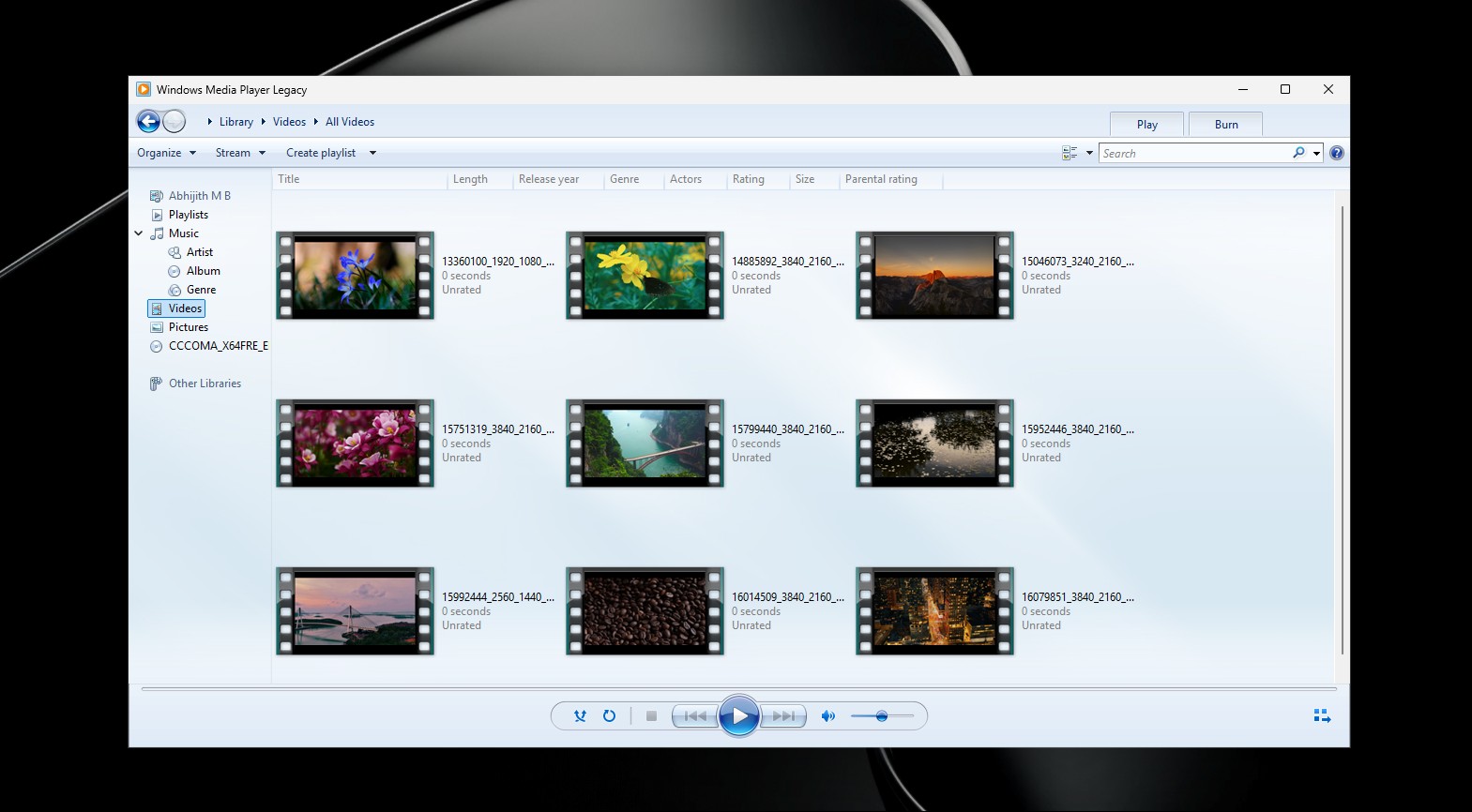
Windows Media Player Legacy
Windows Media Player Legacy can use DirectShow components, so a compatible codec package can extend the formats it decodes. K-Lite Basic contains DirectShow filters and can work with the legacy Windows Media Player.
I would install a codec package here only when keeping Windows Media Player Legacy is a requirement. If the goal is simply to insert a DVD and watch it, VLC is the shorter route and does not add extra DirectShow components to Windows.
A codec does not fix every DVD error. If playback still fails, confirm that the optical drive can read the disc and that the codec architecture matches the player. A 32-bit/64-bit mismatch can prevent Windows Media Player from using an installed decoder.
Modern Windows Media Player
The newer Media Player app in Windows 10/11 does not use K-Lite's DirectShow codecs. Installing K-Lite and reopening the modern Media Player therefore does not add DVD playback to that app.
Microsoft offers codec extensions for formats such as MPEG-2, but decoding an MPEG-2 file is not the same as adding complete DVD-Video disc playback with DVD navigation. For DVD discs on Windows 10/11, use a player that explicitly supports DVD playback unless Windows Media Player Legacy is required.
VLC 3.0.23: Play DVDs Without Installing a Separate DVD Decoder
- Version: 3.0.23
- OS: Windows XP SP3 through Windows 11
- Price: Free and open source
- DVD Playback: Yes
- Separate Windows Decoder Required: No
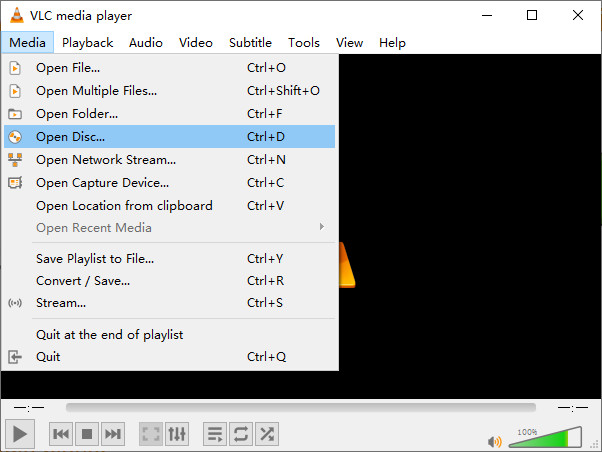
VLC 3.0.23 opens DVD discs directly and contains the decoding support it needs inside the player. VideoLAN still provides Windows builds from Windows XP SP3 through Windows 11.
For a PC that only needs DVD playback, VLC is the option I use first. It avoids choosing a legacy K-Lite build on XP SP3 or adding DirectShow filters to Windows 10/11 solely to make another player work.
VLC does not install a DVD decoder for Windows Media Player. Closing VLC and returning to a Windows Media Player installation that lacks the required decoder leaves that player's setup unchanged. Windows XP SP2 also falls outside VLC 3.0.23's supported range, so an XP SP2 computer needs an older VLC release or a compatible legacy decoder.
Alternative: Convert DVDs to MP4 or MKV Instead of Using a DVD Decoder
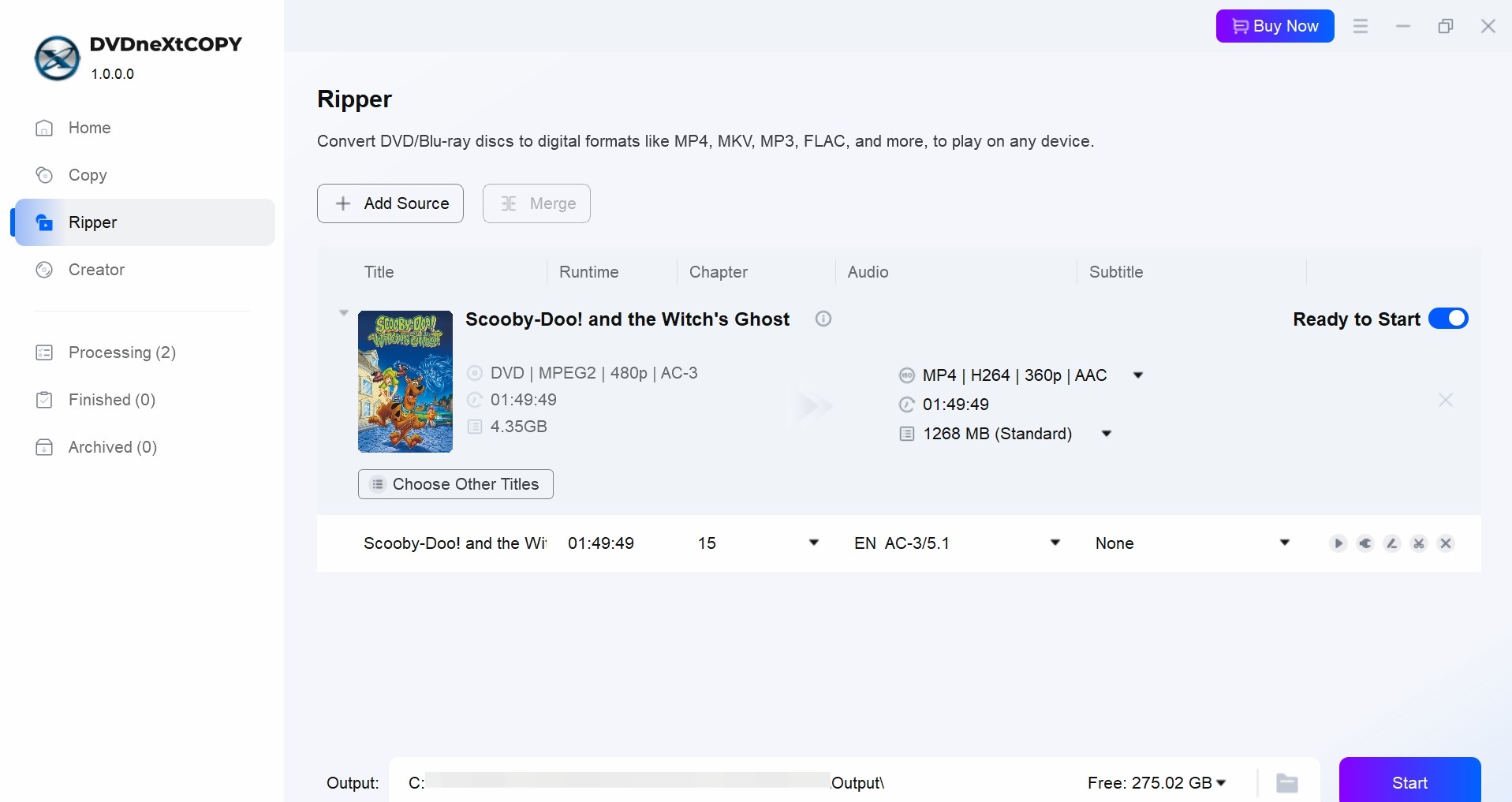
DVDneXtCOPY DVD Ripper is not a DVD decoder. It is a professional DVD ripping software that can handle DVD copy protections and convert DVD content into digital files, so later playback no longer depends on the original DVD drive, a Windows DVD decoder, or DVD playback software.

DVDneXtCOPY DVD Ripper loads protected DVD discs, ISO images, and DVD folders and converts selected content to formats such as MP4 and MKV. Audio and subtitle tracks can be selected for the output, and subtitles can also be exported to SRT.
I use DVDneXtCOPY DVD Ripper when a DVD will be watched repeatedly on a computer, TV, media server, or portable device. MP4 is usually the easier choice for broad device playback, while MKV is useful when several audio or subtitle tracks need to stay together in one file.
For a computer that only needs to play an occasional DVD, VLC is the shorter answer. If you want the full conversion process, output settings, and other DVD-ripping options, see how to rip a DVD.
FAQs
No. A DVD decoder interprets MPEG-2 video so a compatible player can display DVD-Video. Disc access or decryption is a separate function and does not install a system decoder for Windows Media Player.
Conclusion
Keep a separate DVD decoder only when a compatible Windows player such as Windows Media Player Legacy must remain part of the setup. For straightforward disc playback, VLC 3.0.23 is the simpler choice; convert the DVD to MP4 or MKV with DVDneXtCOPY DVD Ripper when you want future playback to stop depending on the optical disc and decoder.
![Top 8 Best MP4 to DVD Converters on Windows & Mac [2026 Tested]](https://images.dvdnextcopy.com/2026/09/17/I2v69nzxIF6Xn7iue3ZRMGJ5-Ls0SF_z/feature_cover.jpg) Luna MillerSep 21, 2026
Luna MillerSep 21, 2026Top 8 Best MP4 to DVD Converters on Windows & Mac [2026 Tested]
 Luna MillerSep 21, 2026
DVD Region Codes Explained: Region 1 and Playback Options
![How to Remove DVD Copy Protection: Software and Free Methods [2026]](https://c.dvdnextcopy.com/media/How_to_Remove_DVD_Copy_Protection_d24c38a790.png) Steven VanceSep 21, 2026
Steven VanceSep 21, 2026How to Remove DVD Copy Protection: Software and Free Methods [2026]
 Luna MillerSep 21, 2026
How to Rip a Copy-Protected DVD on Win & Mac: 6 Ways
 Steven VanceSep 18, 2026
Top MP4 to ISO Converter in 2026: DVD Authoring vs Online Tools
 Steven VanceSep 18, 2026
How to Digitize DVD Collection: 5 Ways in 2026